

Request AI ticket review feedback
The AI Code Reviewer helps teams ensure that submitted code is fully aligned with its related ticket.
It automatically analyzes the code against the ticket description, comments, and subtasks, then posts a detailed review directly into the ticket.
This feature improves code quality, reduces manual review effort, and ensures that all ticket requirements are properly implemented.
What the AI Code Reviewer does
Section titled “What the AI Code Reviewer does”When requested, the AI Code Reviewer:
- Analyzes the submitted code using a provided GitHub commit URL
- Reads and understands:
- Ticket description
- All ticket comments
- Any associated subtasks
- Compares the implementation against the ticket requirements
- Posts a review comment in the same ticket with:
- Alignment explanation (how the code meets the ticket)
- Identified issues or gaps (if any)
- Subtask coverage analysis
- Clear, actionable feedback
If no issues are found, the AI explains why the code is correctly aligned with the ticket.
How It Works
Section titled “How It Works”-
A user creates a ticket with a description
-
The user may add:
- Comments
- Subtasks
-
The user submits code and provides a GitHub commit URL
-
The user requests an AI Code Review
-
The AI analyzes:
- Ticket content
- Subtasks
- Code changes
-
The AI posts the review result as a comment on the ticket
Tutorial
Section titled “Tutorial”AI Code Reviewer
Section titled “AI Code Reviewer”Follow these steps to analyze submitted code against the ticket description, comments, and subtasks.
-

Navigate to the Ticket
Section titled “Navigate to the Ticket”1. From your project board, locate the ticket you want to review.
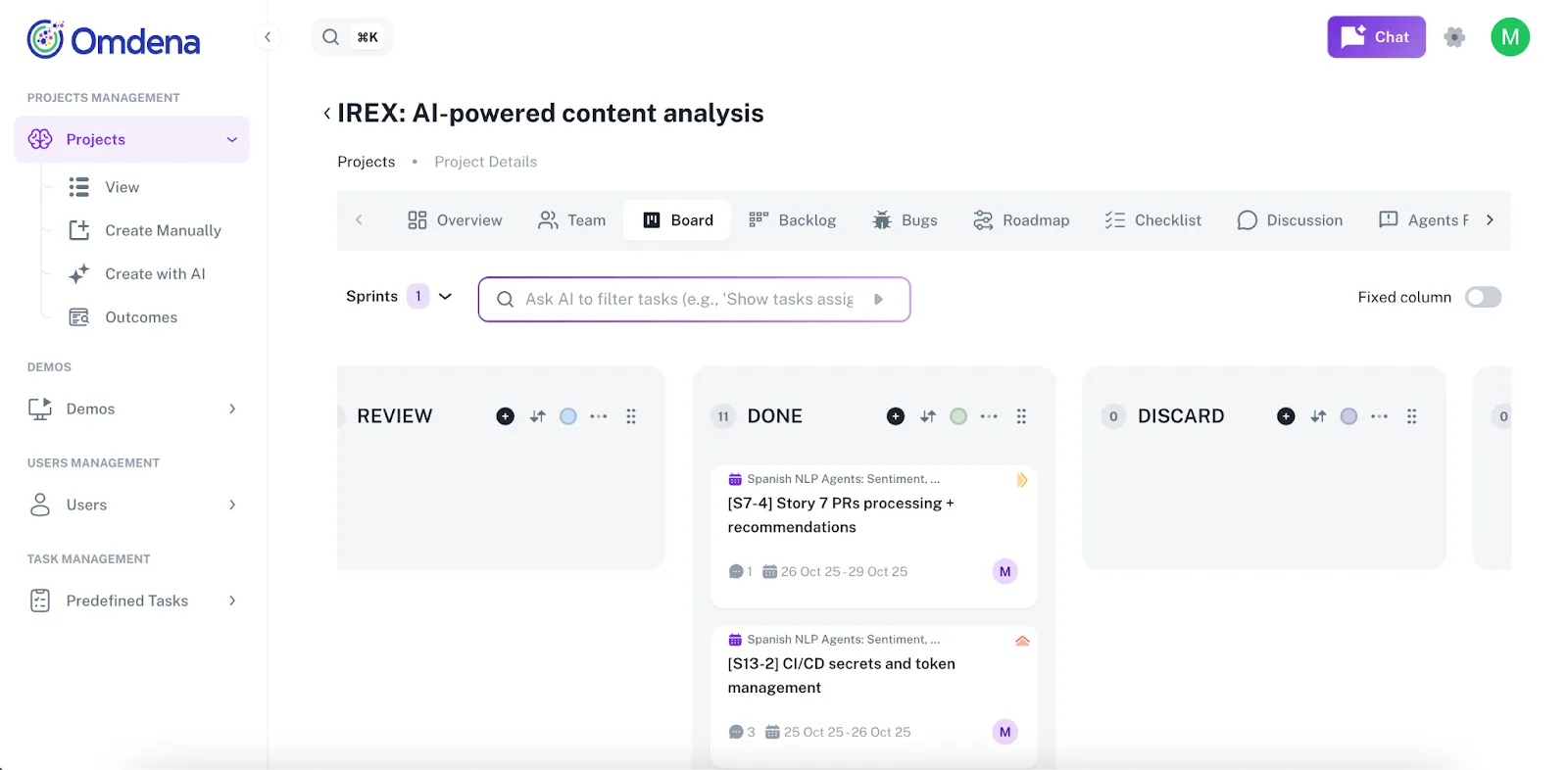
• Use filters if necessary to narrow down by assignee, label, or status.
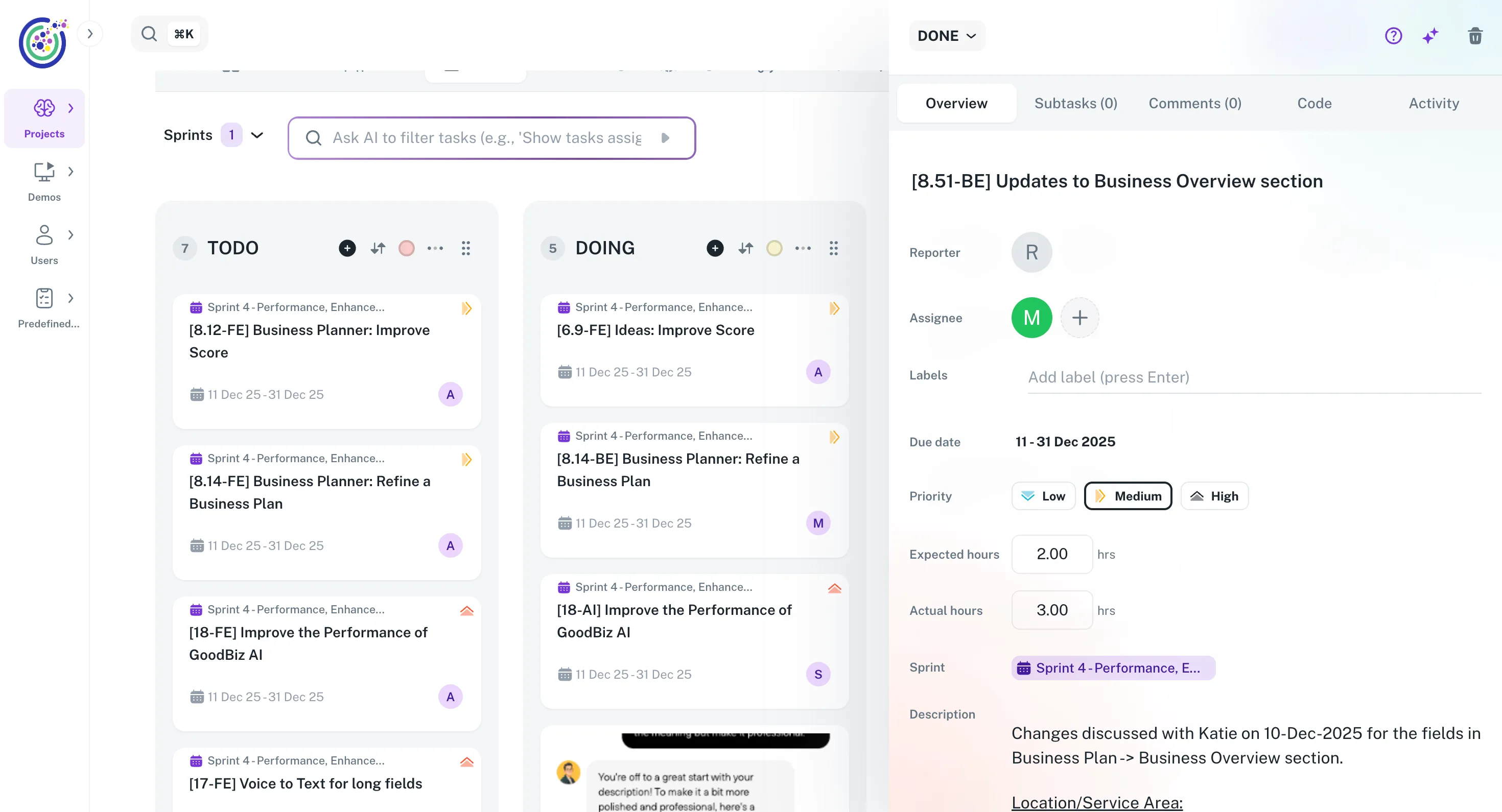
2. Click the ticket to open its detailed view.
-
Add the GitHub Commit URL
Section titled “Add the GitHub Commit URL”1. In the Code URL field, paste the GitHub commit URL that contains your submitted code.
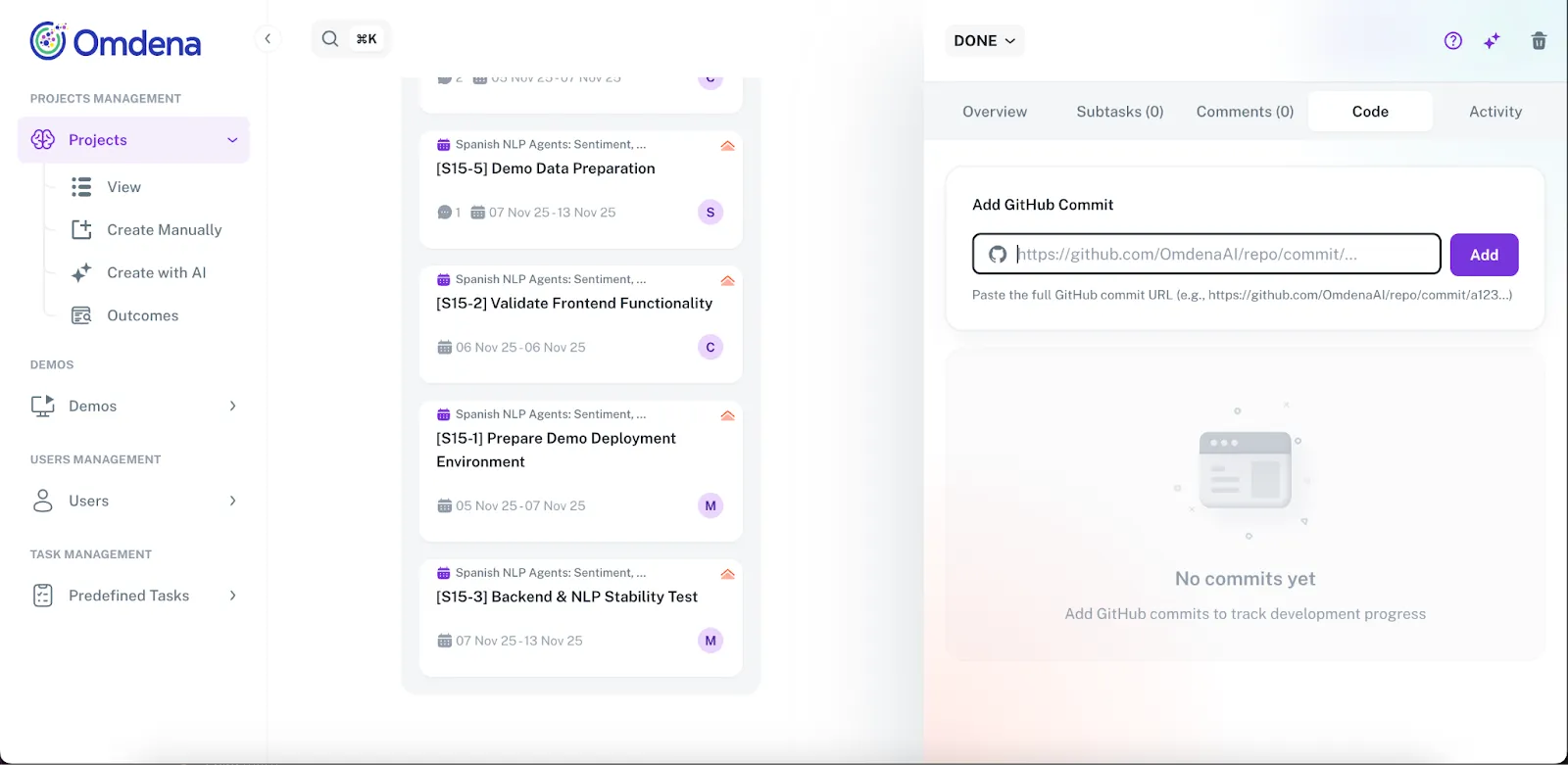
If you have multiple commits, separate them with commas.
Open the AI Code Review Panel
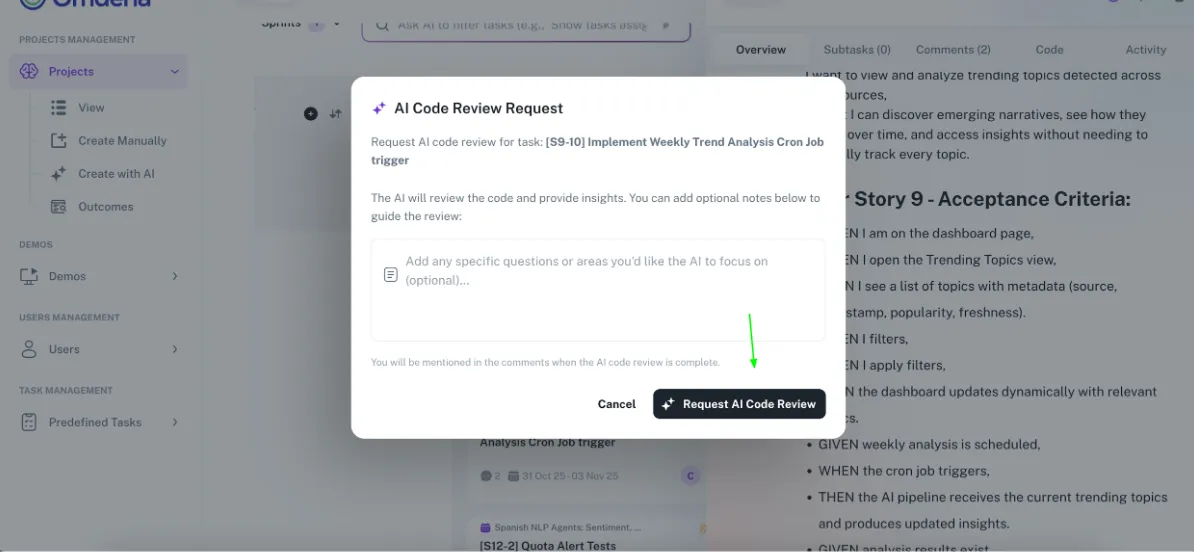
1. In the ticket view, click the AI Code Review icon in the top‑right corner.
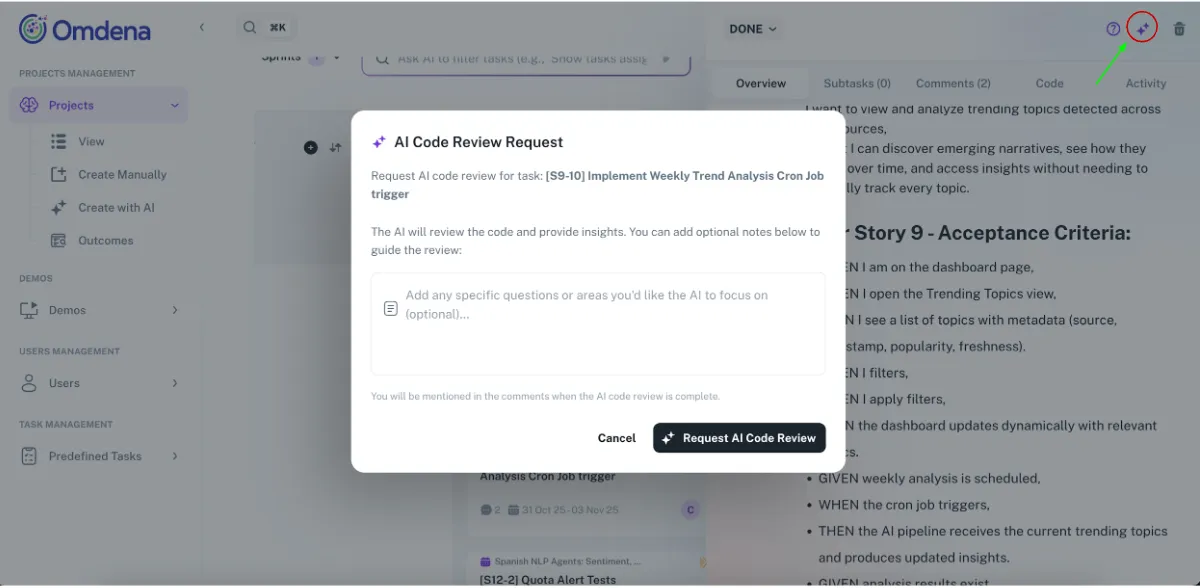
2. The AI Code Review panel opens.
-
(Optional) Enter Review Instructions
Section titled “(Optional) Enter Review Instructions”- In the Optional Instructions field, add specific guidance such as:
- “Focus review on auth logic”
- “Check performance improvements”
- “Validate subtask #3 implementation”
-
Request the Review
Section titled “Request the Review”- Click Request Review.
- The AI will analyze:
- Ticket description
- Comments
- Subtasks
- The code from the GitHub commit(s)
-
Review AI Feedback
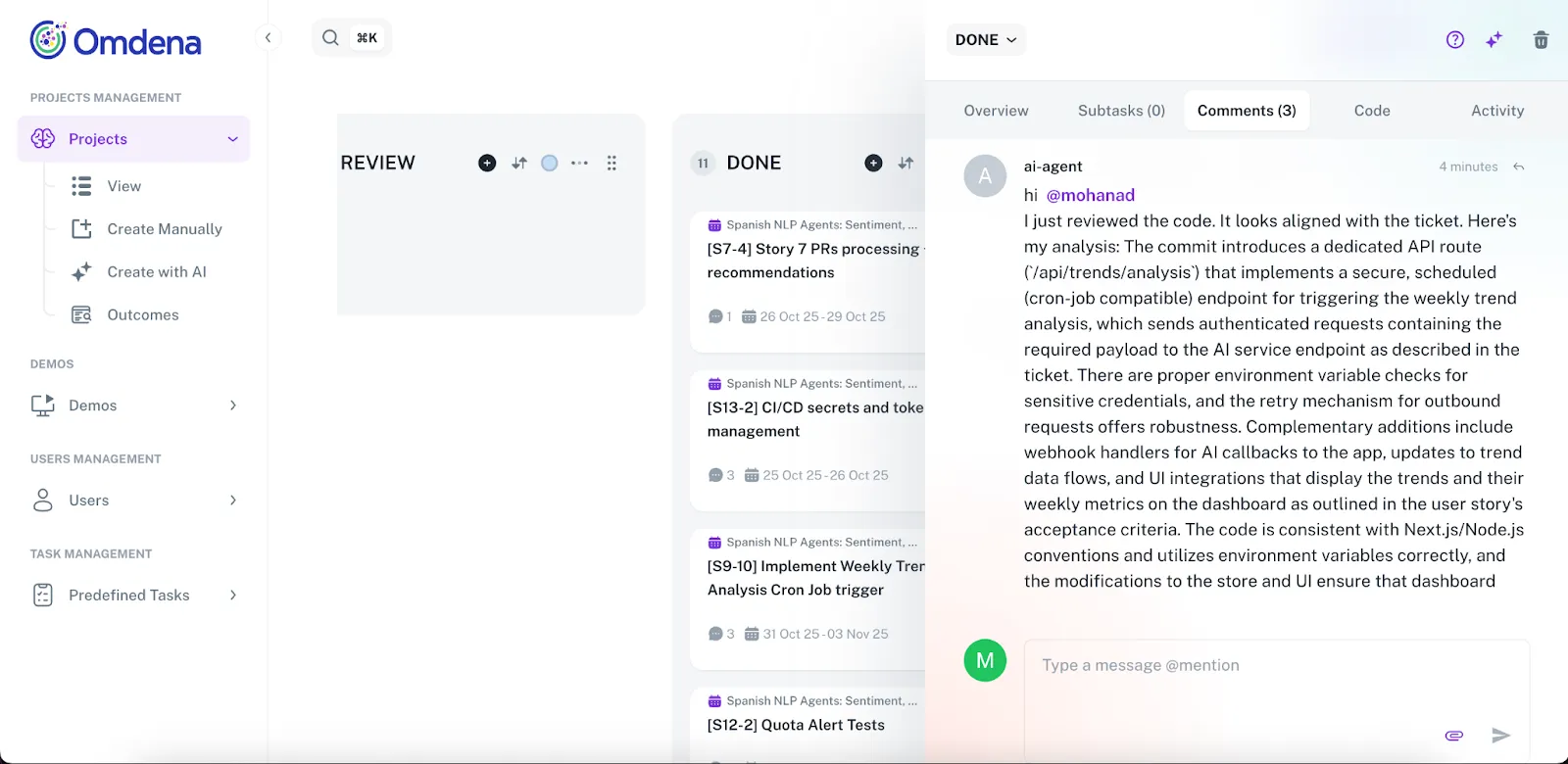
Section titled “Review AI Feedback”After the review completes, the AI adds a comment in the ticket containing:
- Summary – Overall alignment with ticket
- Alignment Analysis – How code meets requirements
- Subtask Validation – Checks each subtask
- Issues & Gaps – Problems found (if any)
- Recommendations – Actionable steps to fix issues
Example Review Results
Section titled “Example Review Results”- Fully aligned: “Code implements all requirements and subtasks.”
- Partially aligned: “Authentication is implemented, but subtask #2 is incomplete.”
- Not aligned: “Submitted code does not cover key ticket requirements.”