

GitHub Integration
The GitHub Integration (GitHub Connections) allows you to connect GitHub repositories to projects within the platform.
This integration enables automated code analysis, technical activity tracking, and alignment between delivered work and project objectives.
With GitHub connected, teams can:
- Associate repositories with specific projects.
- Analyze commits.
- Have access to code quality, bug detection, and DevOps compliance AI agent reports.
- Maintain clear traceability between technical work and project management.
What the GitHub Integration Enables
Section titled “What the GitHub Integration Enables”Once the GitHub connection is active, the platform can:
- Read authorized repositories
- Link repositories to existing projects
- Run automated code analysis
- Generate continuous AI-driven feedback
- Keep technical activity synchronized with project status
Tutorial
Section titled “Tutorial”Create a GitHub Integration
Section titled “Create a GitHub Integration”Use this tutorial to create and verify a GitHub connection. The process is straightforward and only needs to be done once per connection.
-

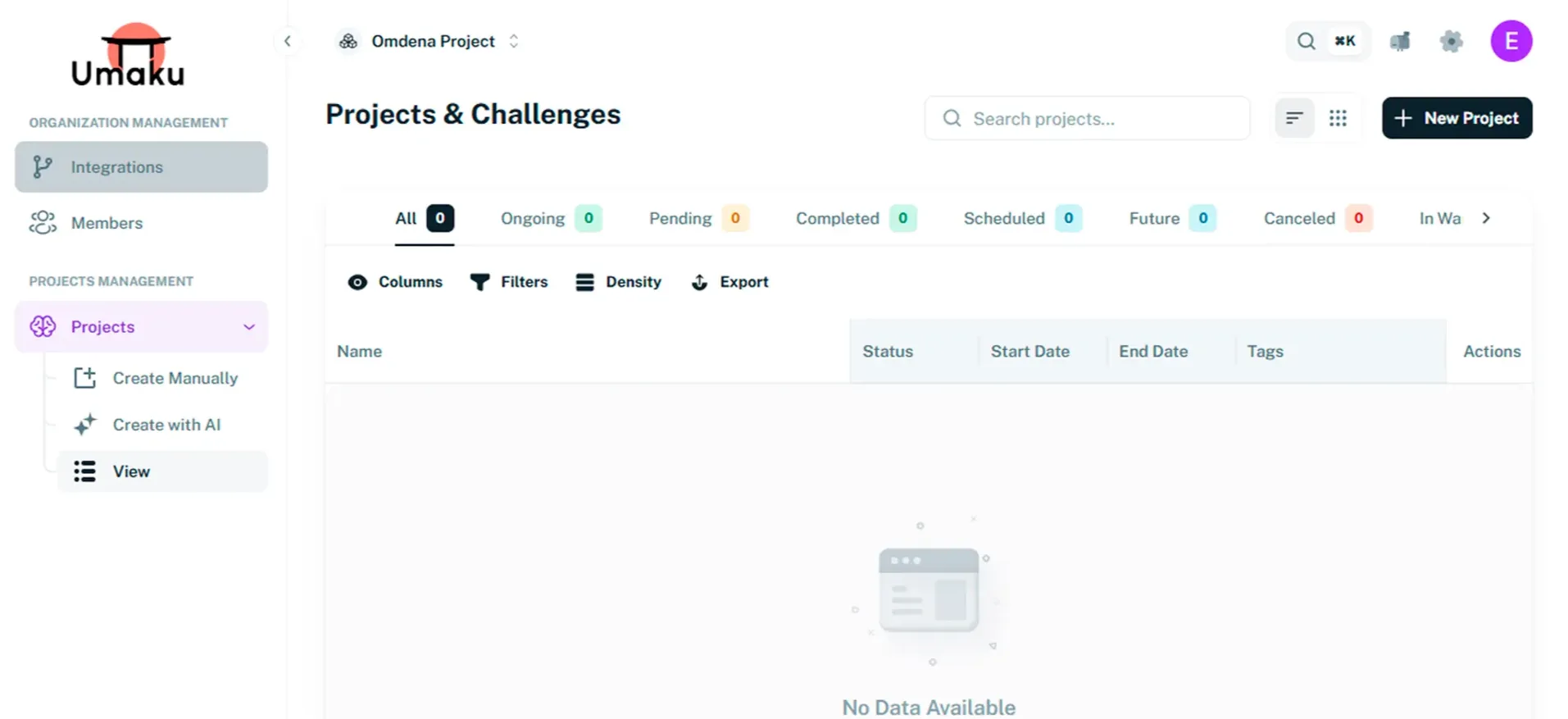
Open Integrations
Section titled “Open Integrations”- From the main page, go to the side menu.
- Click Integrations.
-
Add a New Integration
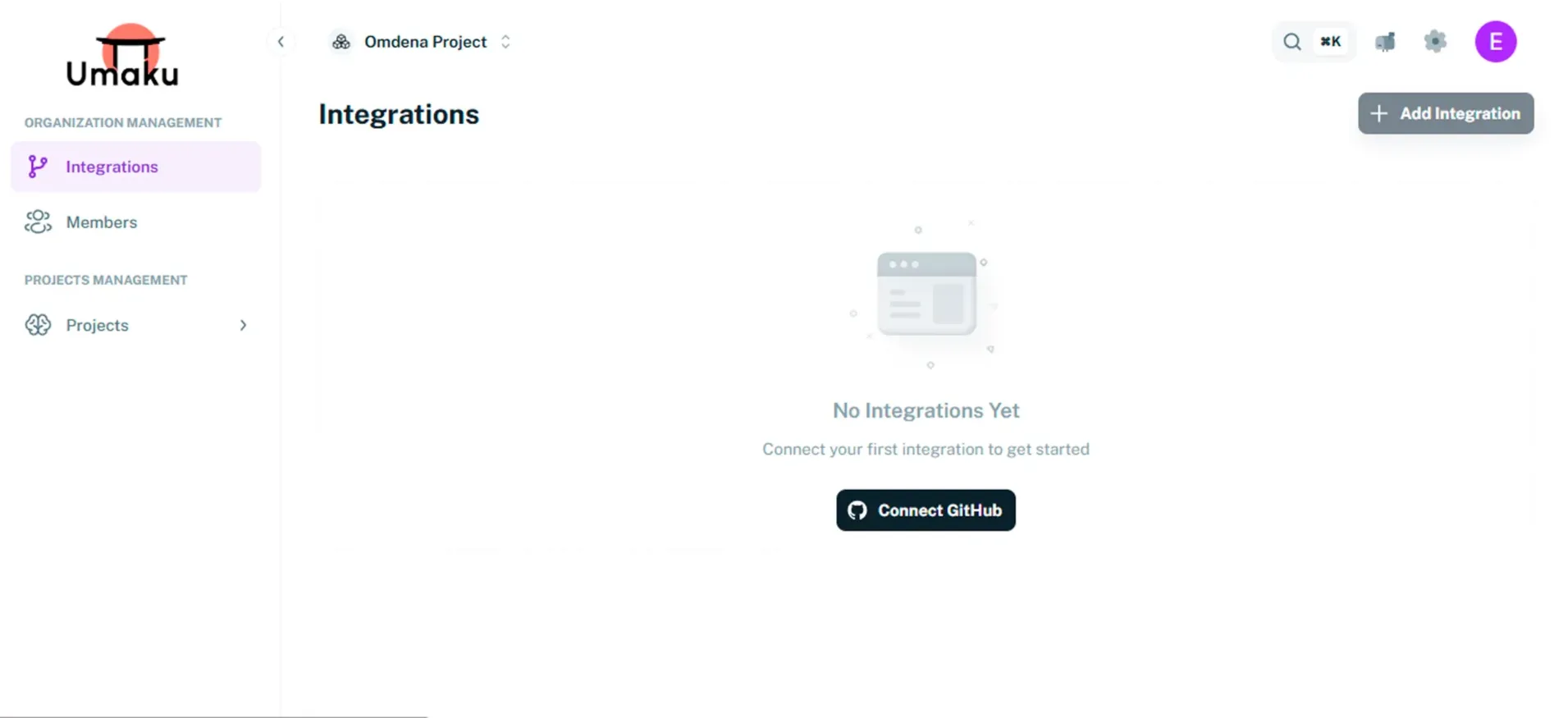
Section titled “Add a New Integration”-
Click + Add Integration or Connect GitHub.
-
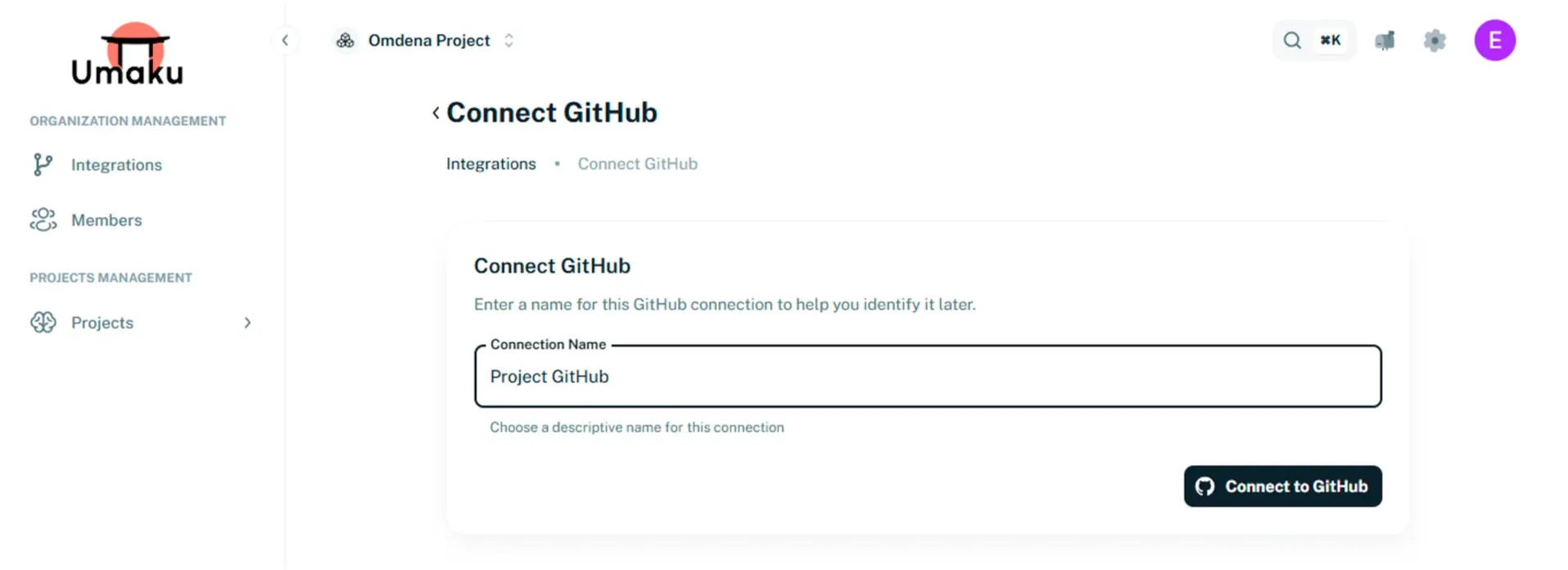
Enter a Connection Name and click Connect to GitHub. You will be redirected to GitHub.
-
-
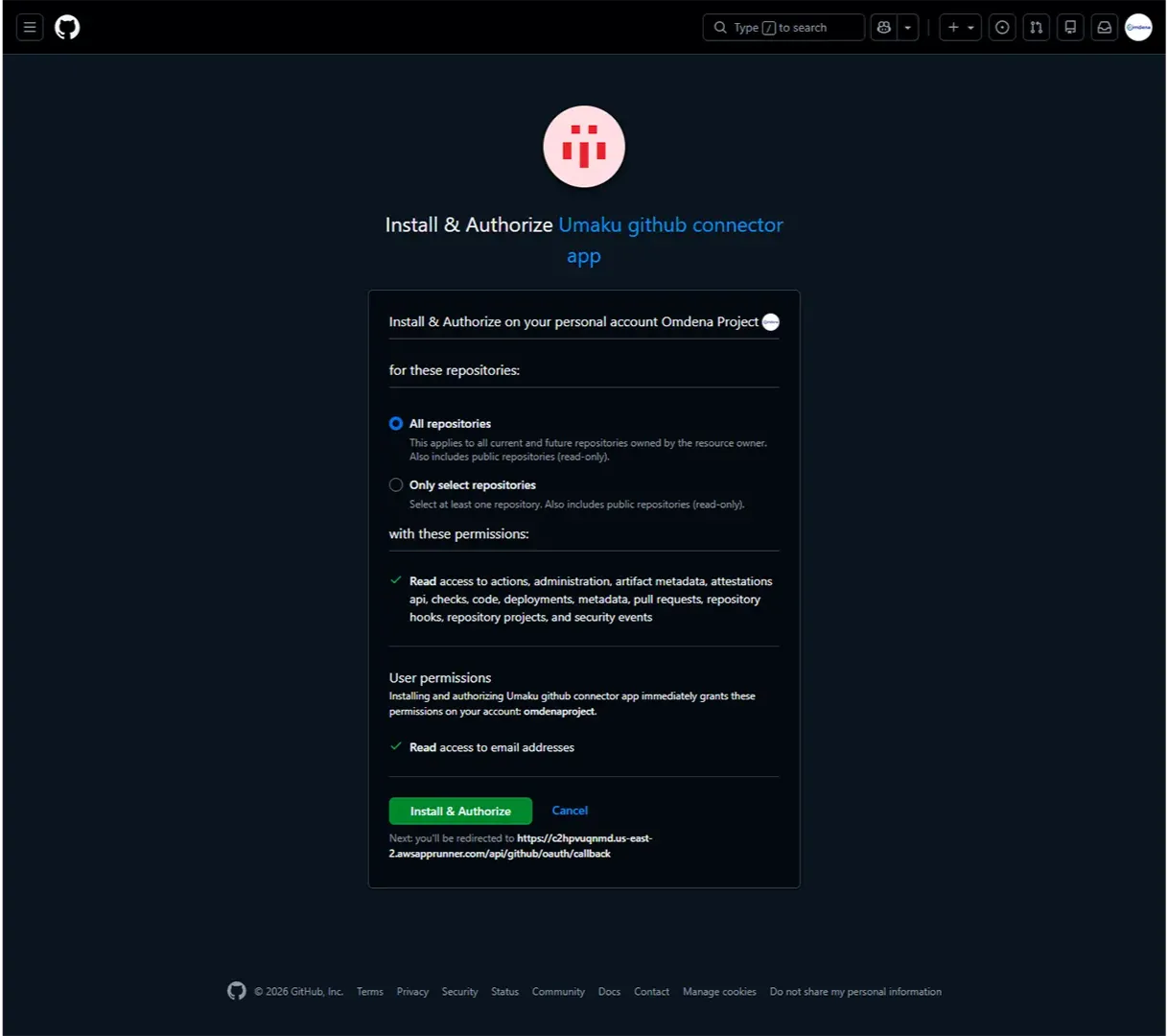
Authorize GitHub App
Section titled “Authorize GitHub App”- In GitHub, click Authorize and Install.
- Approve the requested permissions.
-
Verify Connection
Section titled “Verify Connection”- Back in the platform, click Verify Connection.
- If verification succeeds, the connection becomes active.
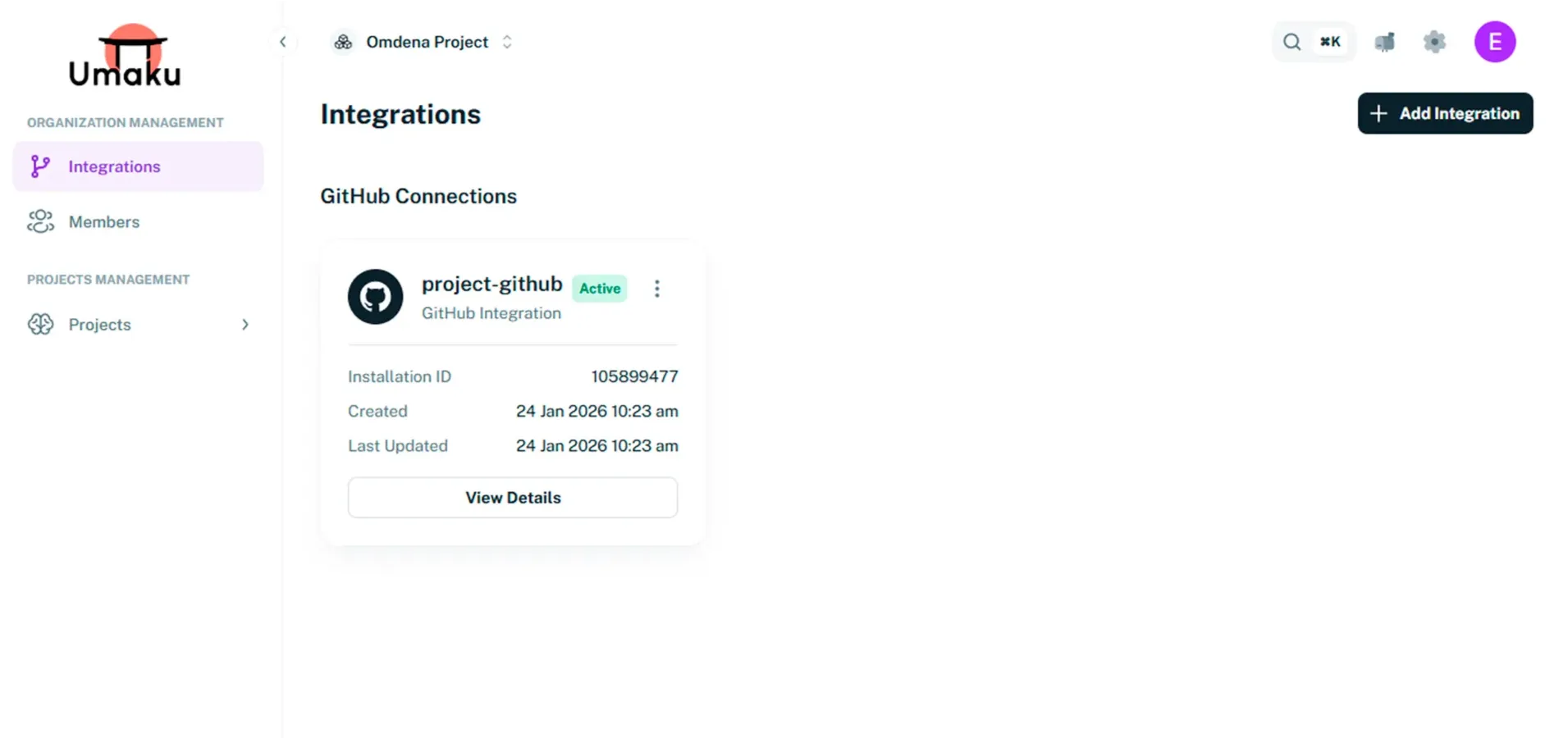
The GitHub integration has been successfully created! 🎉