
Create your roadmap
The Roadmap helps you manage project sprints and track progress over time. It provides a clear timeline of work, showing how the project moves from planning to execution and completion.
In Umaku, a roadmap is composed of sprints. Sprint duration can be adjusted to fit each project or client’s needs, weekly, bi‑weekly, or any custom time. The roadmap lives inside each project and acts as the central place to plan, monitor, and review sprint execution.
Why use the roadmap?
Section titled “Why use the roadmap?”Using the roadmap allows teams to:
- Plan work in structured sprints with clear goals.
- Track progress and sprint status in a visual timeline.
- Understand which work is planned, active, or completed at a glance.
- Unlock AI-powered sprint insights once sprints are completed.
The roadmap ensures alignment between planning, execution, and reporting throughout the project lifecycle.
Roadmap features
Section titled “Roadmap features”The Roadmap includes several key views and capabilities.
Timeline view
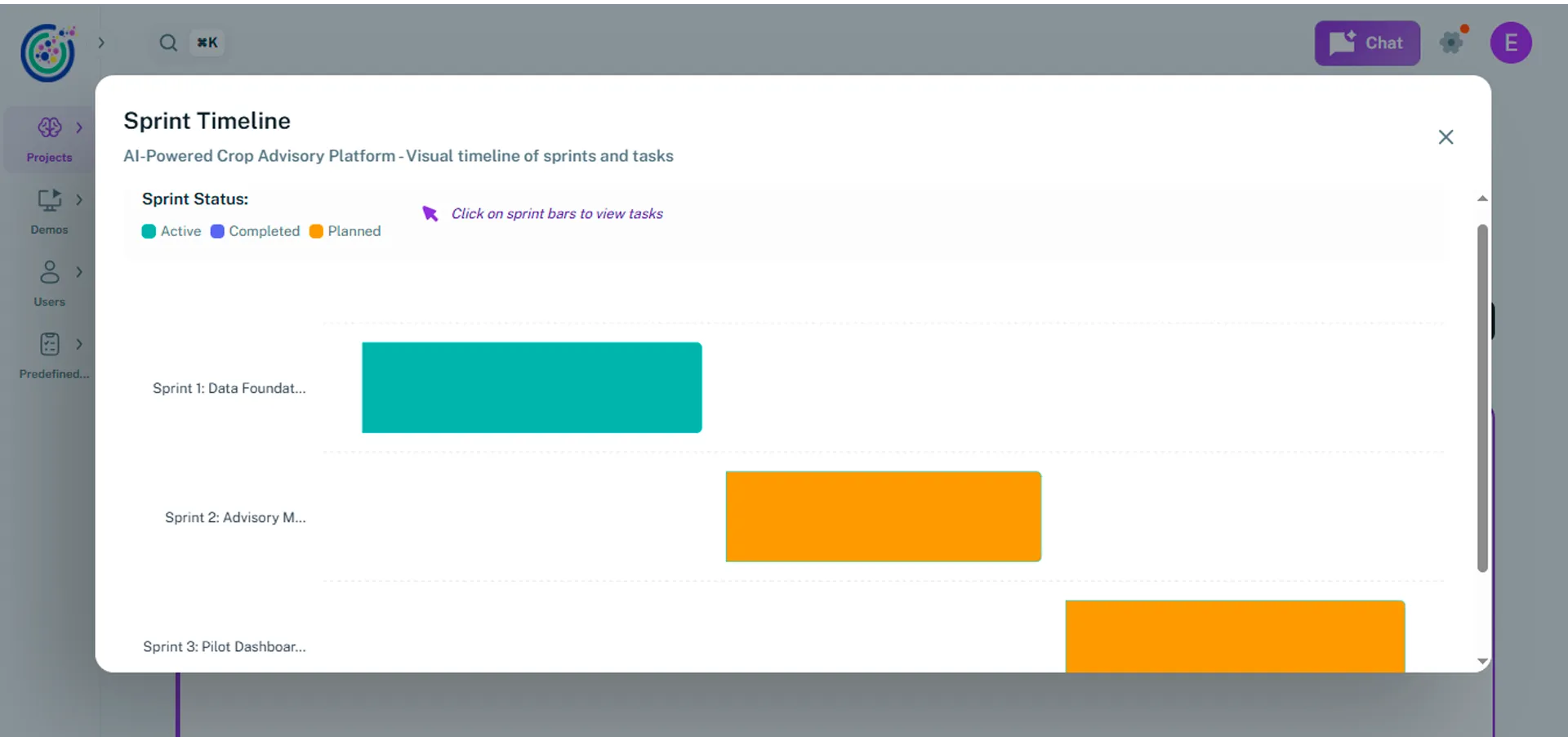
Section titled “Timeline view”The timeline view is a Gantt-style visualization that displays all sprints along a timeline. It shows each sprint’s status: planned, active, or completed. Clicking on a sprint allows you to view the tasks associated with it.
Create sprint
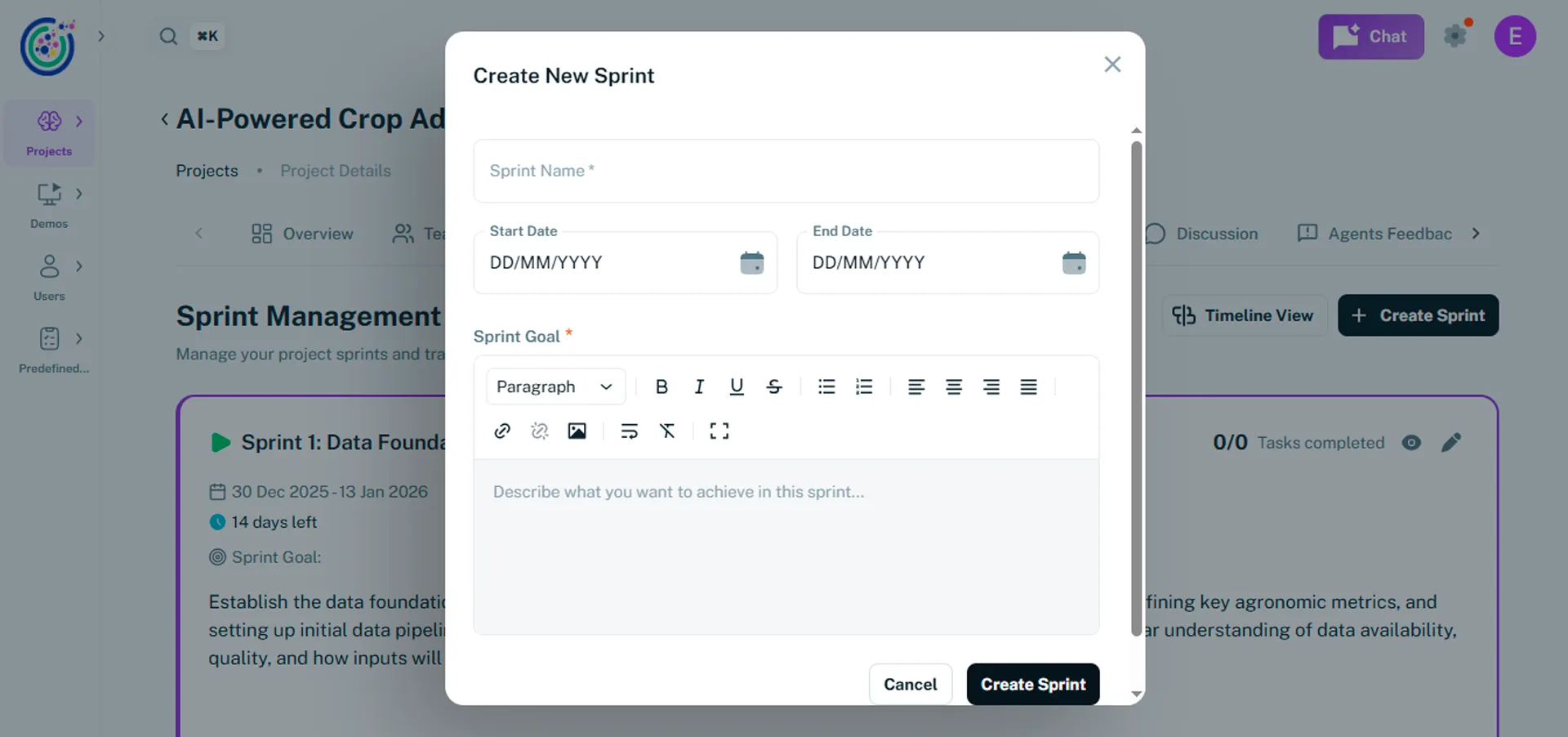
Section titled “Create sprint”This option allows you to create the sprints that make up your roadmap. Each sprint requires a name, start date, end date, and sprint goal. This information is mandatory, as it fetches Umaku agents that generate sprint-level reports, such as sprint inclusion.
Planned sprints
Section titled “Planned sprints”This section lists all upcoming sprints. From here, you can activate, edit, delete, or view a sprint and its associated tasks.
Completed sprints
Section titled “Completed sprints”This section shows all closed sprints and includes Agent Sprint Feedback, such as sprint inclusion, code quality signals, DevOps compliance, and bug detection.
Tutorials
Section titled “Tutorials”Create and manage your roadmap
Section titled “Create and manage your roadmap”Use this tutorial to create and manage a roadmap within a project. This guide walks you through how to create sprints, manage their lifecycle, and track progress using the roadmap.
-
Open the roadmap

Section titled “Open the roadmap”- Go to the project where you want to manage the sprints.
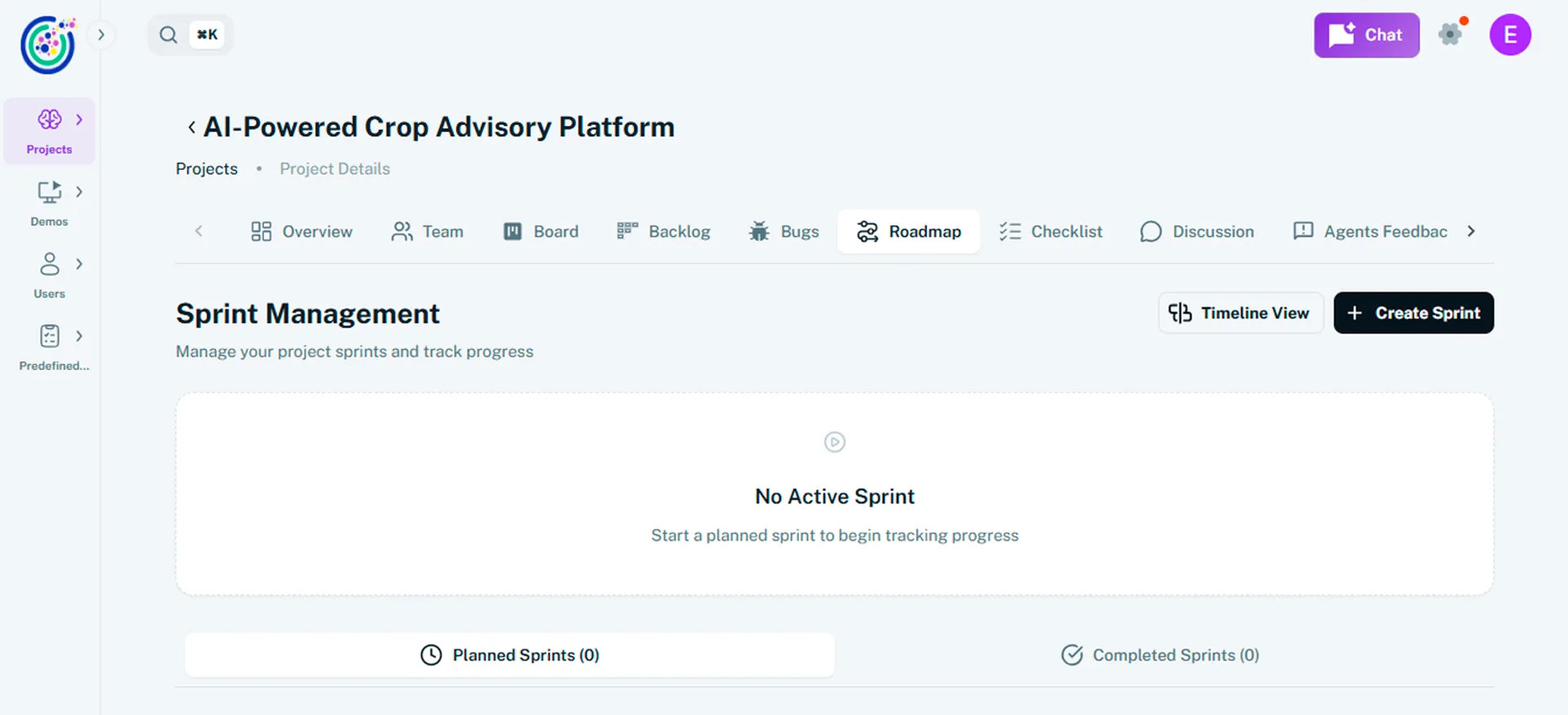
- Navigate to the Roadmap section within the project.
-
Create a sprint
Section titled “Create a sprint”- Click on + Create Sprint.
- Enter a Sprint name that clearly identifies the sprint.
- Select the start date and end date.
- Define the Sprint Goal. This should clearly explain the objective of the sprint and how it will be achieved.
- Click Create Sprint to add it to the roadmap.
-
Build the full roadmap
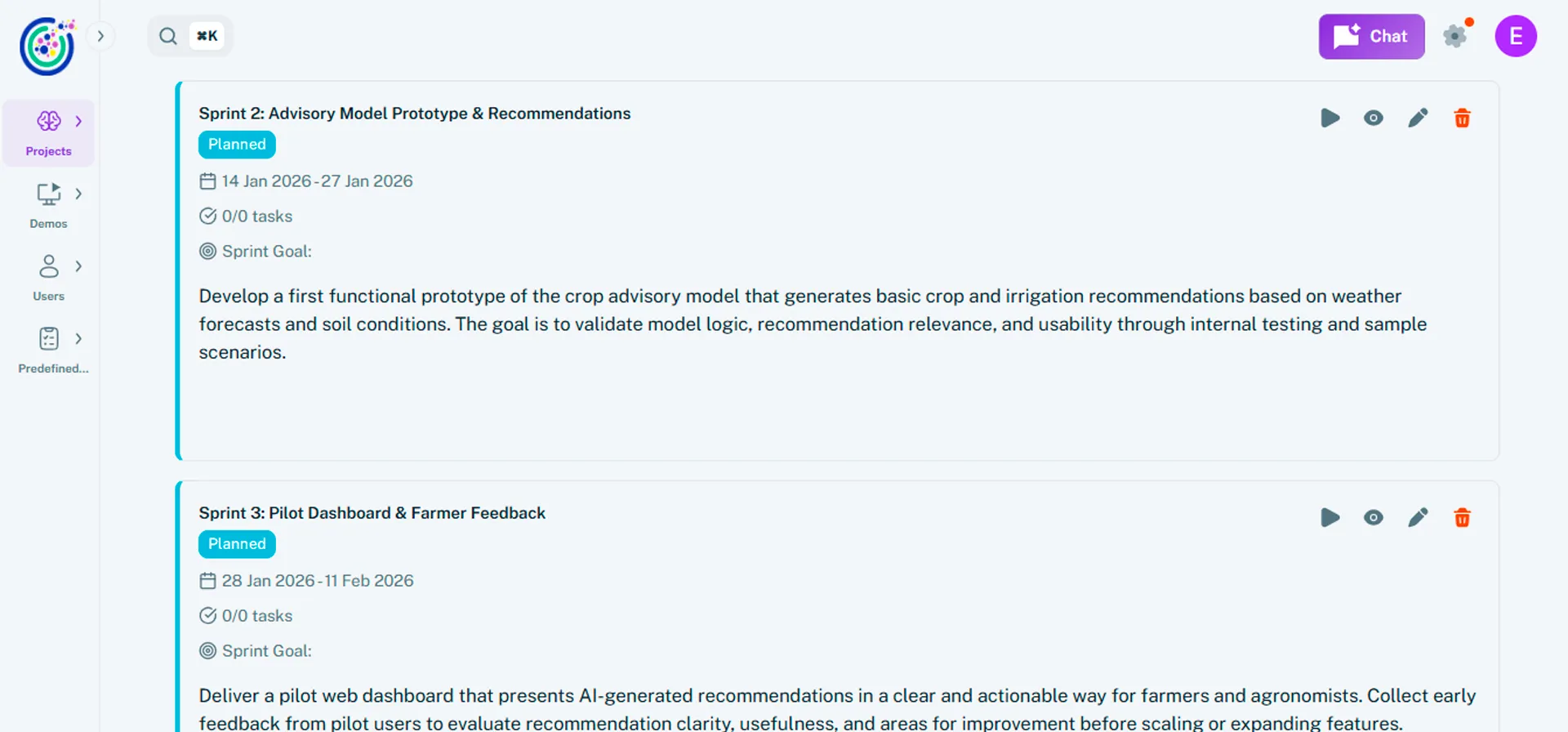
Section titled “Build the full roadmap”- Repeat the sprint creation process for each sprint in the project.
- Adjust sprint durations based on the project cadence (weekly, bi‑weekly, or custom).
- Review the Timeline view to ensure sprints are sequenced correctly.
-
Manage active sprints
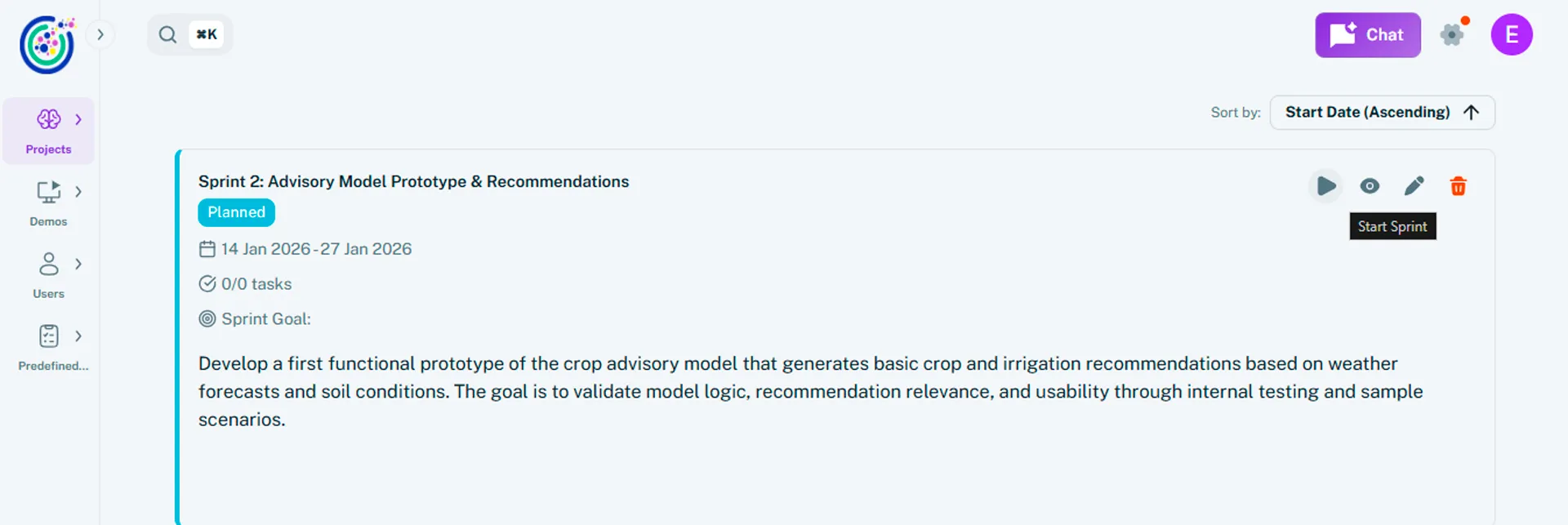
Section titled “Manage active sprints”- Activate planned sprints when they are ready to start. You can do this process by clicking the Play icon.
- Edit active sprints if dates or goals need adjustment.
- Click on the View icon in an active sprint to view the tasks associated with it.
-
Complete the sprint
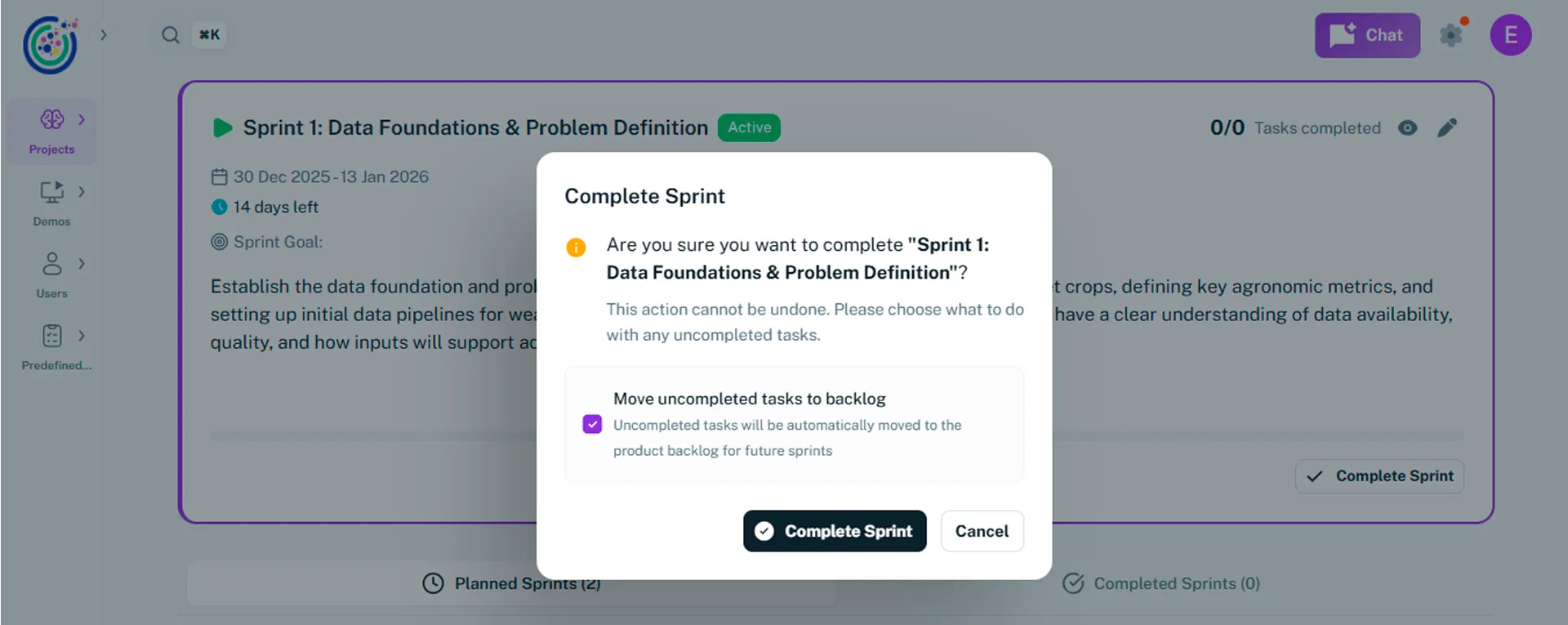
Section titled “Complete the sprint”- When sprint work is finished, click Complete Sprint.
- The sprint moves to the Completed sprints section.
- Any tasks that are not completed are automatically moved to the Backlog section.
- Umaku generates Agent Sprint Feedback, including sprint inclusion, code quality signals, DevOps compliance checks, and bug detection.